

What Is a Phone System for a Medical Office?
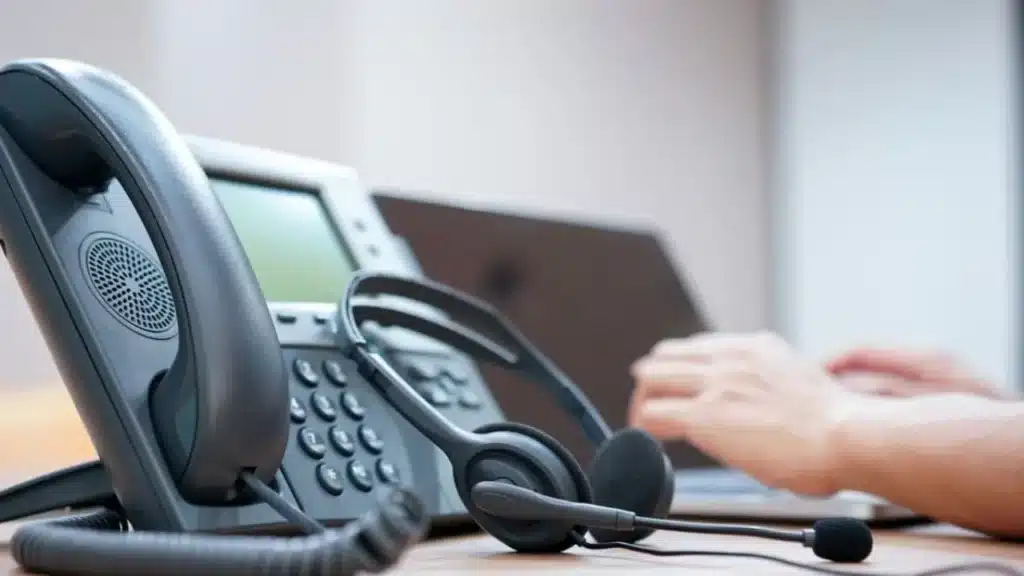
A phone system for a medical office is a VoIP or cloud-based communications platform built to handle patient calls, appointment scheduling, and secure messaging while meeting HIPAA technical safeguards. It replaces traditional landlines with internet-based calling that adds auto attendant routing, call recording, voicemail to email, and after-hours coverage without requiring on-site hardware or dedicated IT staff.
HIPAA compliance is non-negotiable: Any phone system handling patient information must support encryption in transit, offer a signed Business Associate Agreement, and restrict access to voicemail and call recordings to authorized staff only.
Call routing keeps the front desk functional: Auto attendant menus, call queues, and ring groups let a small office handle appointment requests, billing questions, prescription refills, and urgent calls simultaneously without putting patients on indefinite hold.
Cost is lower than most practices expect: Cloud-based VoIP phone systems for medical offices start as low as $18.99 per user per month, which is typically 40 to 60 percent less than a traditional multi-line phone setup with comparable features.
Why Medical Offices Have Different Phone Needs
A medical office is not a standard small business when it comes to phone requirements. The volume alone sets it apart. The average patient calls a medical practice four to six times per year for scheduling, rescheduling, prescription refills, test results, billing questions, and referrals. Multiply that across a panel of 1,500 to 2,500 patients and the front desk is managing thousands of inbound calls per month, often with a staff of two or three people.
The stakes of a missed call are also higher. A patient who cannot get through does not just take their business elsewhere; they may delay care, leave a negative review, or file a complaint. And unlike a retail business, a medical office handles protected health information on every call, which means the system carrying those calls must meet HIPAA security standards or the practice is exposed to regulatory risk.
The most common issue we see when small practices reach out to us is that their phone system was never designed for medical workflows. They are running a generic business line with no call routing, no after-hours handling, and no way to record or log calls for compliance. The system works until the practice grows past three providers, and then it becomes the bottleneck for every patient interaction.
If you are still evaluating whether VoIP is the right move for your practice, our guide on the most affordable VoIP phone service for small business covers pricing and plan structures across business types.
What Features Matter Most in a Medical Office Phone System
Not every VoIP feature matters equally in a healthcare setting. The ones listed below are the features that directly affect patient access, compliance, and front-desk efficiency. These are the same features we walk practices through during onboarding at Phone Service Now, ranked by how often they solve the exact problem the practice called us about.
Auto attendant and call routing: This is the single most impactful feature for a medical office. An auto attendant greets callers with a professional menu and routes them to scheduling, billing, the nurse line, or a specific provider without tying up front-desk staff. Ring groups and call queues ensure that calls are distributed evenly and that no patient hears a busy signal.
For a deeper look at how auto attendants work and how to configure them, see our guide: What Is an Auto Attendant Phone System.
Call recording: Medical offices use call recording to document verbal authorizations, verify scheduling details, resolve patient disputes, and train front-desk staff. Under HIPAA, recorded calls containing PHI must be stored securely with restricted access. Phone Service Now includes 30 days of call recording on Business Plus plans and unlimited recording on Business Platinum.
Voicemail to email (as text): Voicemail transcriptions sent to email let clinical staff triage messages without listening to each recording. A nurse can scan a transcription in seconds and prioritize a patient reporting symptoms over a routine refill request. This feature is included in the Business Platinum plan.
For details on how voicemail transcription integrates with VoIP phone systems, see our guide on visual voicemail for business phone systems.
After-hours call handling: Patients call outside business hours. A phone system that cannot route after-hours calls to an on-call provider, an answering service, or a dedicated voicemail box forces patients to hang up and try again the next day. Call forwarding rules by time of day solve this without any manual switching.
Texting from a local number: Appointment reminders and confirmations sent by text reduce no-shows by 20 to 30 percent according to published healthcare scheduling data. Texting from the practice’s own local number keeps communication professional and recognizable. Phone Service Now supports texting from any local number on Business Plus and Platinum plans.
Mobile and web app access: Providers working across multiple locations or taking calls from home need access to their office extension from a smartphone or laptop. Cloud-based phone systems provide this without compromising call quality or security, which is essential for telehealth and remote clinical coverage.
How Much Does a Medical Office Phone System Cost?
Phone system pricing for medical offices varies widely depending on the provider, the feature set, and whether hardware is included or purchased separately. Most healthcare-focused VoIP providers charge between $25 and $65 per user per month. General-purpose business VoIP providers that meet HIPAA requirements start lower but may lack healthcare-specific routing or compliance features.
Phone Service Now offers three tiers designed for small and growing businesses, including medical practices:
| Plan | Price (per user/mo) | Key Features for Medical Offices |
|---|---|---|
| Business Basics | $18.99 | Unlimited minutes, 1 local number, web and mobile access, reporting |
| Business Plus | $23.99 | Everything in Basics + toll-free number, 30-day call recording, texting from local number |
| Business Platinum | $27.99 | Everything in Plus + unlimited call recording, voicemail to email as text, auto attendant, call queues, enhanced caller ID |
For most medical practices, the Business Platinum plan at $27.99 per user per month provides the full feature set a healthcare environment requires: auto attendant, unlimited call recording, voicemail transcription, and call queues. A five-provider practice would pay roughly $140 per month for a fully featured system, which is typically less than half the cost of a comparable traditional phone setup.
Hardware is purchased separately. Phone Service Now works with Cisco and Poly desk phones, and there is a one-time $25 setup and training fee. Setup is completed in one business day.
For a full breakdown of how VoIP pricing compares to traditional phone lines by business size, see our guide: What You Should Pay for Your Business Phone Line.
Running a medical office on a phone system that was not built for healthcare costs more than the monthly bill. Missed calls, compliance gaps, and front-desk bottlenecks add up faster than any subscription fee. Phone Service Now sets up HIPAA-ready VoIP phone systems in one business day, starting at $18.99 per user per month.
What Makes a Phone System HIPAA Compliant?
HIPAA compliance in a phone system comes down to three requirements that every medical practice must verify before signing with a provider.
Business Associate Agreement (BAA): The provider must sign a BAA acknowledging their responsibility to protect patient health information that passes through their platform. Any provider that will not sign a BAA cannot be used in a healthcare setting, regardless of their feature set.
Encryption in transit: Calls, voicemails, and text messages must be encrypted between the user’s device and the provider’s servers. This prevents interception of patient information during transmission. Phone Service Now is HIPAA compliant and supports encryption across all communication channels.
Access controls: Voicemail, call recordings, and messaging logs must be accessible only to authorized users. Role-based access ensures that front-desk staff, clinical staff, and administrators see only the information relevant to their function.
Providers often come to us after discovering that their existing phone system cannot produce a BAA or does not encrypt voicemail storage. In those cases, the practice has been operating outside HIPAA technical safeguards without realizing it. Switching to a compliant system is not optional once the gap is identified.
How to Set Up a Medical Office Phone System
Setting up a VoIP phone system for a medical office is faster and simpler than most practice managers expect. At Phone Service Now, the entire setup process from signing up to making the first call takes one business day. Here is the process step by step.
Step 1: Choose the right plan. For most medical offices, Business Platinum provides the compliance and routing features healthcare requires. Smaller solo practices with low call volume may start on Business Plus.
Step 2: Port your existing number. Number porting transfers your current phone number to the new VoIP system so patients keep calling the number they already have. Porting typically takes 5 to 10 business days at Phone Service Now, and service continues uninterrupted during the transition.
For details on how number porting works, see: How to Get a VoIP Phone Number.
Step 3: Configure your auto attendant. Record your greeting, build the call routing menu (press 1 for appointments, press 2 for billing, press 3 for the nurse line), and set up ring groups so calls distribute across available staff.
Step 4: Set after-hours rules. Configure call forwarding to route after-hours calls to an on-call provider, an answering service, or a dedicated voicemail box based on time of day.
Step 5: Connect your devices. Plug in desk phones, download the mobile app, and test calls from every device your staff will use. Phone Service Now supports Cisco and Poly hardware and provides web and mobile app access on every plan.
One question we hear constantly from practice managers is whether setup will disrupt patient calls. The answer is no. The old system continues running until porting completes, at which point calls automatically route to the new system with no downtime.
Common Medical Office Phone Mistakes
Across the practices we work with, the same phone system mistakes appear repeatedly. Each one is preventable with the right setup.
No after-hours routing: Calls outside business hours ring to a dead line or a generic voicemail with no callback process. Patients hang up and call a competitor.
Using personal cell phones for patient calls: Providers who forward calls to personal devices without a secure app are creating HIPAA exposure. VoIP mobile apps keep the business number and compliance controls intact.
Skipping call recording: Without recordings, disputes over scheduling, verbal authorizations, and treatment instructions become he-said-she-said situations with no documentation.
Overpaying for legacy systems: Traditional PBX systems with on-site hardware and maintenance contracts often cost two to three times what a cloud VoIP system with equal or better features costs. In our experience, practices switching to VoIP cut their phone expenses by 40 to 60 percent.
No call queue during peak hours: Morning call surges overwhelm the front desk if every call goes straight to a single receptionist. Call queues hold patients in line with estimated wait messaging instead of sending them to voicemail.
For a broader guide to choosing and comparing business phone systems, see: Best Business Phone System 2026 Guide.
How Does a Medical Office Phone System Compare to a Standard Business System?
The core technology is the same: cloud-based VoIP running over an internet connection. The difference is in what the practice requires from it. A standard business phone system handles calls, voicemail, and maybe texting. A medical office phone system must also handle HIPAA compliance, patient call routing by department, after-hours clinical coverage, and call recording that meets documentation standards.
| Requirement | Standard Business VoIP | Medical Office VoIP |
|---|---|---|
| HIPAA compliance / BAA | Rarely included | Required |
| Auto attendant routing | Basic menu | Department-specific (scheduling, billing, nurse, provider) |
| Call recording | Optional add-on | Essential for compliance and dispute resolution |
| After-hours call routing | Voicemail only | On-call forwarding, answering service integration |
| Texting from business number | Available | Used for appointment reminders, reducing no-shows |
| Voicemail to email/text | Sometimes included | Critical for clinical triage |
| Pricing range | $10 to $35/user/mo | $18 to $65/user/mo depending on compliance features |
Phone Service Now covers every item in the medical office column at the Business Platinum tier for $27.99 per user per month, which sits at the low end of the healthcare VoIP range while delivering the full feature set.
What to Ask Before Choosing a Medical Office Phone Provider
Not every VoIP provider that claims HIPAA compliance can back it up. Before signing, ask these questions and verify the answers in writing.
Will you sign a Business Associate Agreement? If the answer is anything other than yes, move on.
What is your uptime SLA? Look for 99.9% or higher. Phone Service Now guarantees 99.9% uptime and has never experienced a service outage since launching the platform.
How long does setup take? Enterprise systems can take weeks. Phone Service Now completes full setup in one business day.
Are contracts required? Month-to-month service gives a practice flexibility to adjust as it grows. Phone Service Now offers month-to-month plans with no long-term contracts.
What hardware is supported? Confirm that the provider works with professional-grade desk phones from manufacturers like Cisco, Poly, or Yealink, and that a mobile app is available for providers on the move.
Can I text patients from my business number? This is essential for appointment confirmations and reminders.
For a full comparison of SIP trunking versus hosted PBX and how each architecture handles healthcare requirements, read: SIP Trunking vs. Hosted PBX.
Frequently Asked Questions
What is the best phone system for a medical office?
The best phone system for a medical office is a cloud-based VoIP platform that includes HIPAA compliance, auto attendant call routing, call recording, voicemail transcription, and after-hours forwarding. Phone Service Now includes all of these features starting at $18.99 per user per month with 99.9% uptime and one-day setup.
Is VoIP HIPAA compliant?
VoIP can be HIPAA compliant, but not all providers meet the requirements. A HIPAA-compliant VoIP provider must sign a Business Associate Agreement, encrypt calls and messages in transit, and enforce role-based access controls on voicemail and recordings. Phone Service Now is HIPAA compliant and provides a BAA.
How much does a phone system cost for a medical office?
Medical office phone system costs range from $18 to $65 per user per month depending on the provider and feature set. Phone Service Now offers plans starting at $18.99 per user per month, with the full healthcare feature set available at $27.99 per user per month on the Business Platinum plan.
Can I keep my existing phone number when switching to VoIP?
Yes. Number porting transfers your existing phone number to the new VoIP system. At Phone Service Now, porting typically takes 5 to 10 business days, and service continues uninterrupted on your old system until the transfer completes.
How long does it take to set up a VoIP phone system for a medical office?
Setup time varies by provider. Enterprise systems can take weeks. Phone Service Now completes full setup, including auto attendant configuration and device provisioning, in one business day. Number porting runs in parallel and takes 5 to 10 business days.
Do I need special hardware for a medical office VoIP system?
You need an internet connection with at least 25 Mbps download speed, a router, and VoIP-compatible desk phones or headsets. Phone Service Now works with Cisco and Poly hardware, purchased separately. Every plan also includes web and mobile app access, so providers can take calls from a laptop or smartphone.
What is an auto attendant and why does a medical office need one?
An auto attendant is an automated phone menu that greets callers and routes them to the right department or person without front-desk intervention. Medical offices need auto attendants because they handle high call volumes across multiple departments, including scheduling, billing, and clinical staff, and cannot afford to put every caller through a single receptionist.
Can I use a VoIP phone system across multiple office locations?
Yes. Cloud-based VoIP systems operate over the internet, so multiple locations share the same system, the same phone number, and the same call routing rules. Providers and staff can use the mobile app from any location. Adding a new location requires only an internet connection and device provisioning.
Next Steps
New to business VoIP? Start with our Best Business Phone System 2026 Guide to compare your options side by side.
Need help sizing your lines? Read How Many SIP Trunks Do I Need to make sure you are not overpaying for capacity you do not use.
Want to understand the 2026 compliance landscape? See New VoIP 911 Rules Take Effect August 2026 to confirm your provider meets updated FCC requirements.
Ready to set up a HIPAA-compliant phone system for your medical office? Book a call with Phone Service Now and get set up in one business day.
Your phone system should make it easier for patients to reach you, not harder. Phone Service Now delivers HIPAA-compliant VoIP phone systems built for medical practices, with auto attendant, call recording, voicemail to text, and after-hours routing included. Plans start at $18.99 per user per month. Setup takes one business day. No contracts required.